Try Google Drive: organize files, folders and permissions with AI now, no sign-up needed

Google Drive: organize files, folders and permissions with AI · Bring order to the Drive you already have
For freelancers, agencies, professional firms and small and medium-sized businesses with thousands of files like “final budget (2) copy.” We give you your industry’s naming convention, renaming for your own files, the folder tree as a ZIP, the permissions policy and Drive searches ready to paste.
In the features that use AI, responses are generated by artificial intelligence and are not a substitute for professional advice.
هل تريد أن يبدو طفلك كنجم في كأس العالم 2026؟
يحوّل ذكاؤنا الاصطناعي صورة طفلك إلى رسمة تلوين مخصصة لكأس العالم لكرة القدم 2026. اختر المنتخب ورقم القميص ونتيجة المباراة. وفي ثوانٍ ستحصل على لوحة فريدة جاهزة للطباعة والتلوين.
See the tools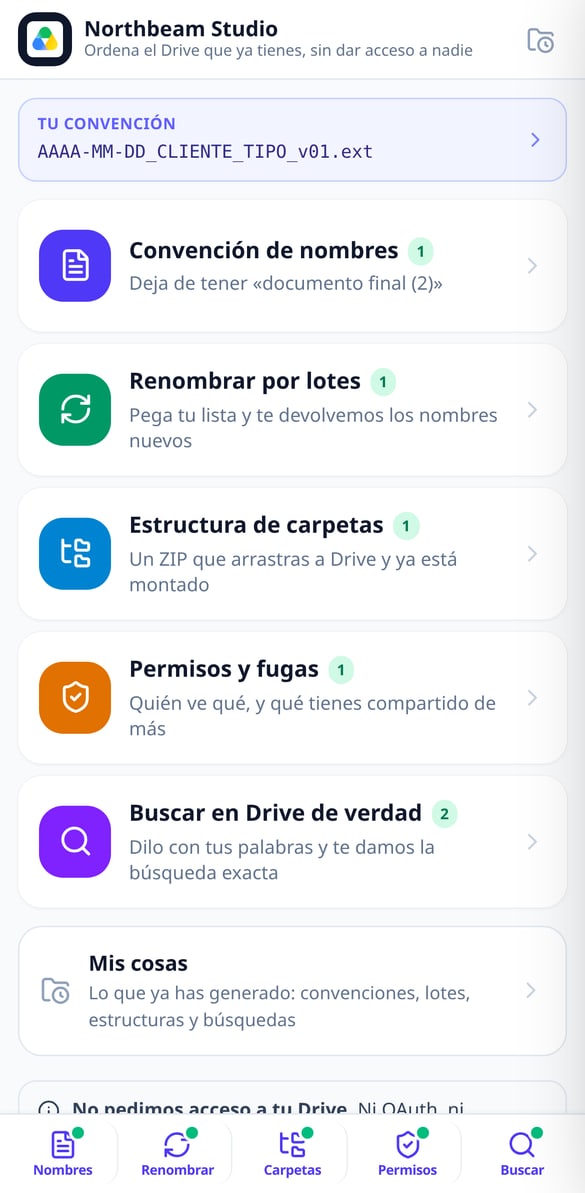
Discover every feature in detail
File Naming Standard by Industry | Google Drive
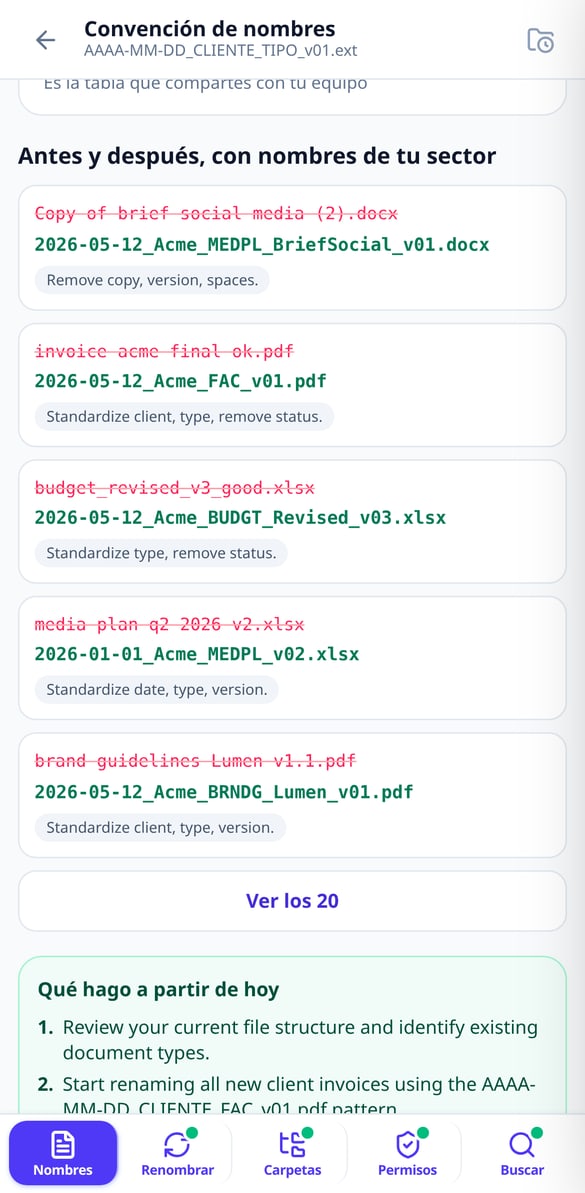
Choose your industry and the naming blocks and get the complete formula (YYYY-MM-DD_CLIENT_TYPE_v01), the 5 rules, your profession’s abbreviations, and before & after examples. Without connecting your Google account.
Try it free
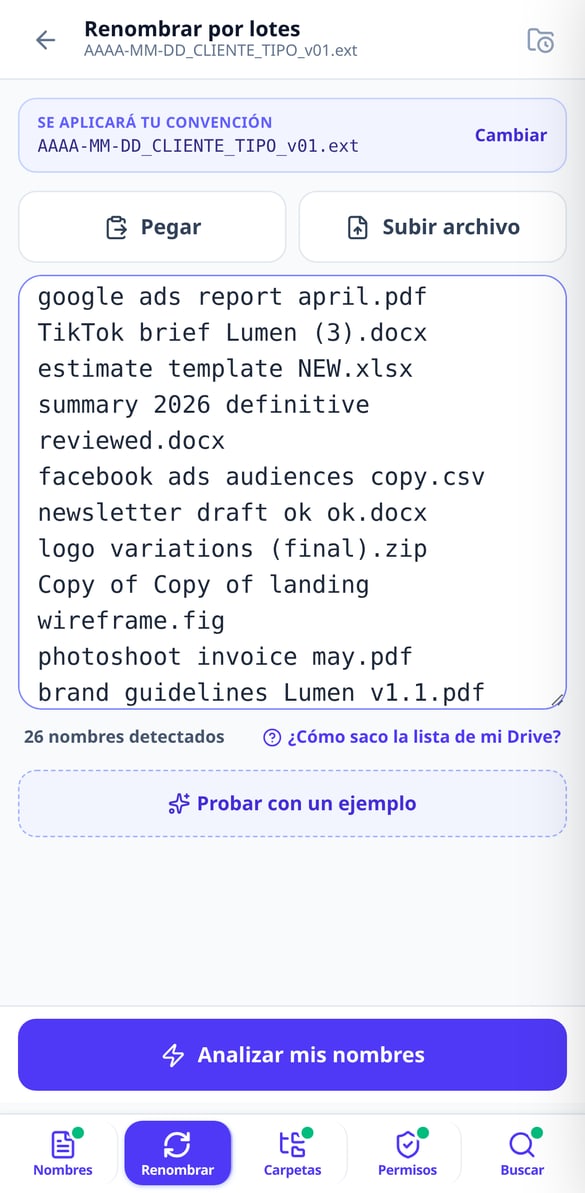
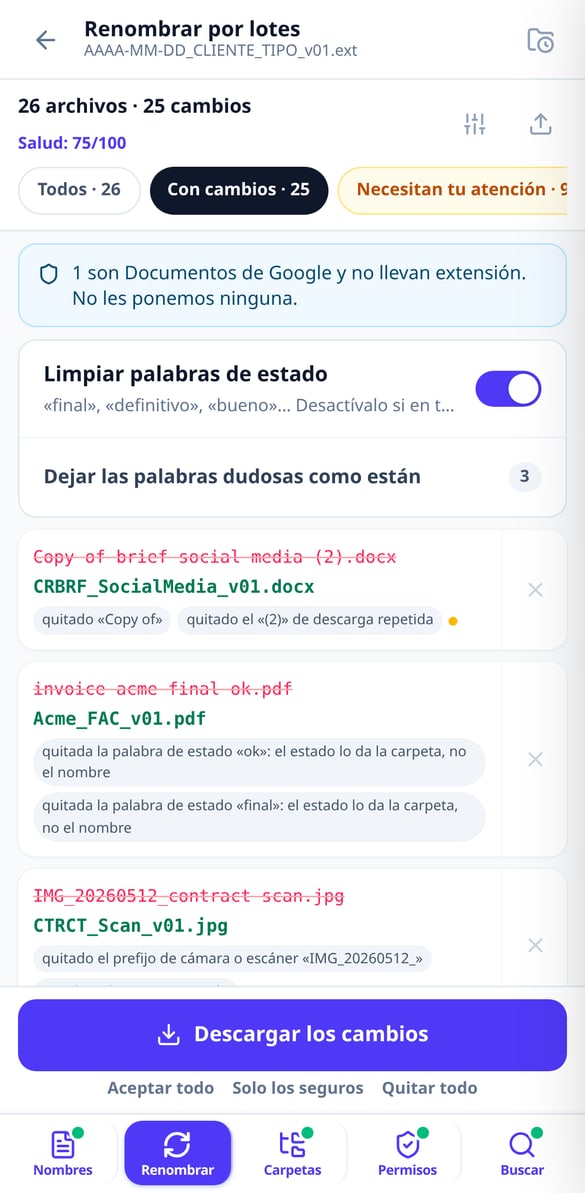
Batch Rename Files | Google Drive
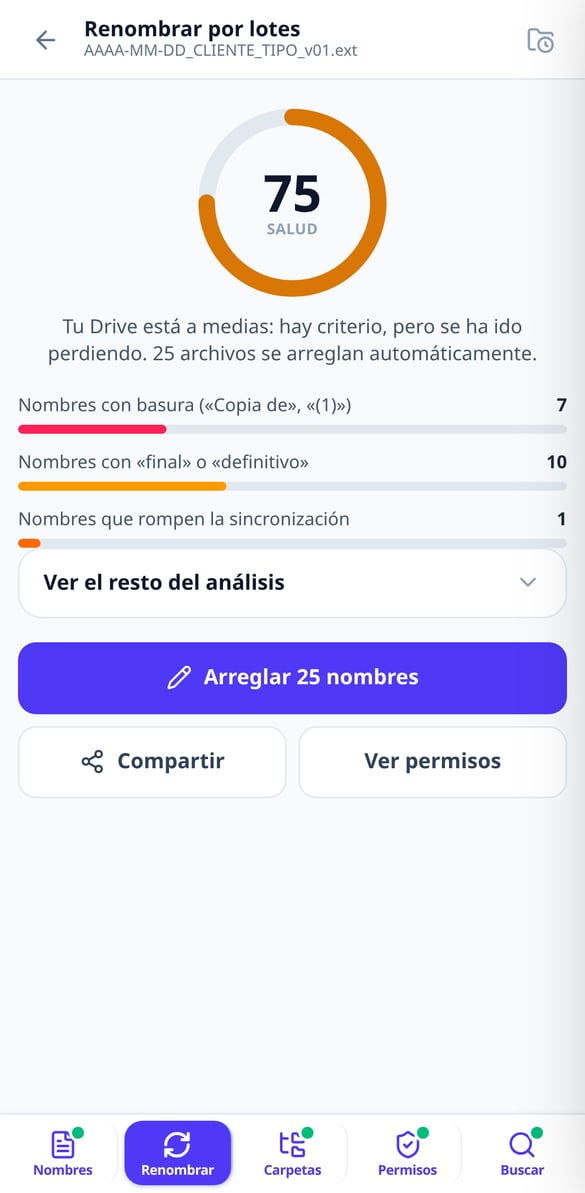
Paste your file list and get a table showing current name → new name with the reason for each change. Up to 1,000 names, export in CSV or XLSX, and a script to apply it to your Drive. Without connecting your account.
Try it free
Apps Script script to rename files in Google Drive
Generate a Google Apps Script script with your name mapping already included: it runs in your account, with test mode enabled, resumable batches, and a final report. Without us needing access to your Google Drive.
Try it free
Google Drive Health Score: Grade your clutter
Paste your file name list and receive a score from 0 to 100 with a public formula: junk in names, status words, sync-breaking characters, duplicates, and mixed dates. Without connecting your account.
Try it free
Folder Structure for Google Drive Ready in ZIP
Choose your work type and we’ll set up the project folder structure for you, numbered so Drive orders it and with a maximum of 3 levels. Download it in ZIP and drag it to Drive. Without connecting your account.
Try it free
Google Drive Permissions: Your Policy in Five Questions
Answer five questions and we’ll give you your Google Drive permissions policy in writing: calculated risk level, My Drive versus Shared drives matrix, eight audit searches, and the offboarding checklist. Without connecting your account.
Try it free
Advanced Google Drive search in natural language
Type or dictate what you're looking for and we'll give you the exact advanced Drive search query: type:, title:, owner:, from:, after:. Explained piece by piece, ready to copy. Without connecting your account.
Try it freeFive tools for the Drive you already have
خصّص كل تفصيل في رسمة كأس العالم لتكون فريدة ومميزة.

Naming convention and batch renaming
Choose your industry from 11 and get the naming formula (YYYY-MM-DD_Client_TYPE_v01), your industry’s document abbreviations and 20 before-and-after examples. Then paste your names —up to 300 without an account, 1,000 with an account— and we’ll return the “current name → new name” table with the reason for each change, in CSV or XLSX.

Folder tree ready to drag and drop
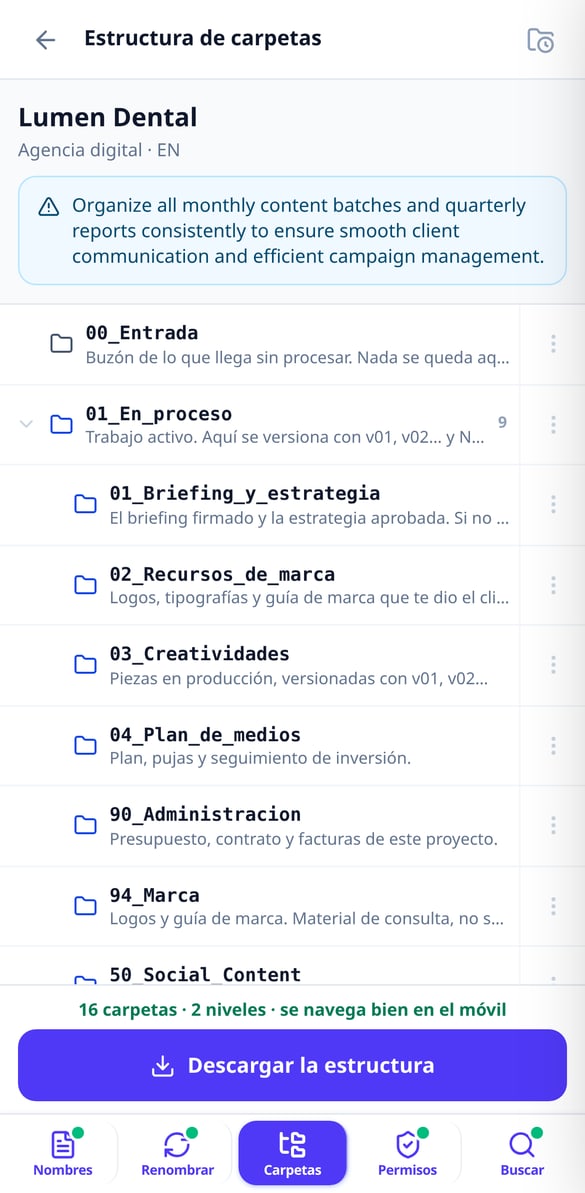
Choose your type of work from 11 and we’ll build the structure by lifecycle —an intake folder, a work-in-progress folder, a client review folder, a deliverables folder and the archive—, numbered so Drive sorts it for you and with a maximum of 3 levels so it stays navigable on mobile. Each folder comes with its written guide inside. Take it as a ZIP or create it in your Drive with the script we give you.

Auditable permissions and searches that actually find
Five questions and you have your written permissions policy, the My Drive vs. Shared drives matrix, the checklist for when someone leaves and 8 audit searches. Describe what you’re looking for in one sentence and we’ll give you the Drive query explained operator by operator, with a link to open it in your account.
Three steps, nothing to install and no permissions to grant
ارفع صورة
ارفع صورة الطفل أو الطفلة. سيستخدم الذكاء الاصطناعي تسريحة الشعر وملامح الوجه لإنشاء شخصية الرسوم المتحركة.
خصّص
اختر المنتخب والفريق المنافس ورقم القميص والاسم ونتيجة المباراة. اجعل الرسمة فريدة تمامًا.
نزّل واطبع
في ثوانٍ ستحصل على رسمة التلوين المخصصة لكأس العالم 2026، جاهزة للتنزيل والطباعة.
Frequently asked questions
Your Drive organized today, not “someday”
ارفع صورة، واختر المنتخب، وفي ثوانٍ ستحصل على رسمة تلوين فريدة لكأس العالم 2026.