Try CapCut — .srt subtitles without typing, shot-by-shot edit plan, PNG titles and export dimensions now, no sign-up needed
CapCut — .srt subtitles without typing, shot-by-shot edit plan, PNG titles and export dimensions · AI tools for editing vertical video
For people who already edit in CapCut and don't know what to put together: subtitles with the timings already distributed, the edit plan shot by shot, the on-screen titles in PNG and the dimensions and settings to export with. It isn't another editor and it doesn't touch your timeline: it gives you the files and you import them yourself.
In the features that use AI, responses are generated by artificial intelligence and are not a substitute for professional advice.

업무가 더 이상 아무도 관리하지 않는 스프레드시트에 흩어져 있나요?
BaseTable은 그 혼란에 질서를 세워 줘요. 진짜 형식이 있는 필드, 서로 연결되는 테이블, 같은 정보를 그리드, 칸반, 캘린더, 양식으로 보는 방식까지요. 데이터를 복제하지 않고 코드 한 줄 작성하지 않아도 돼요.
See the tools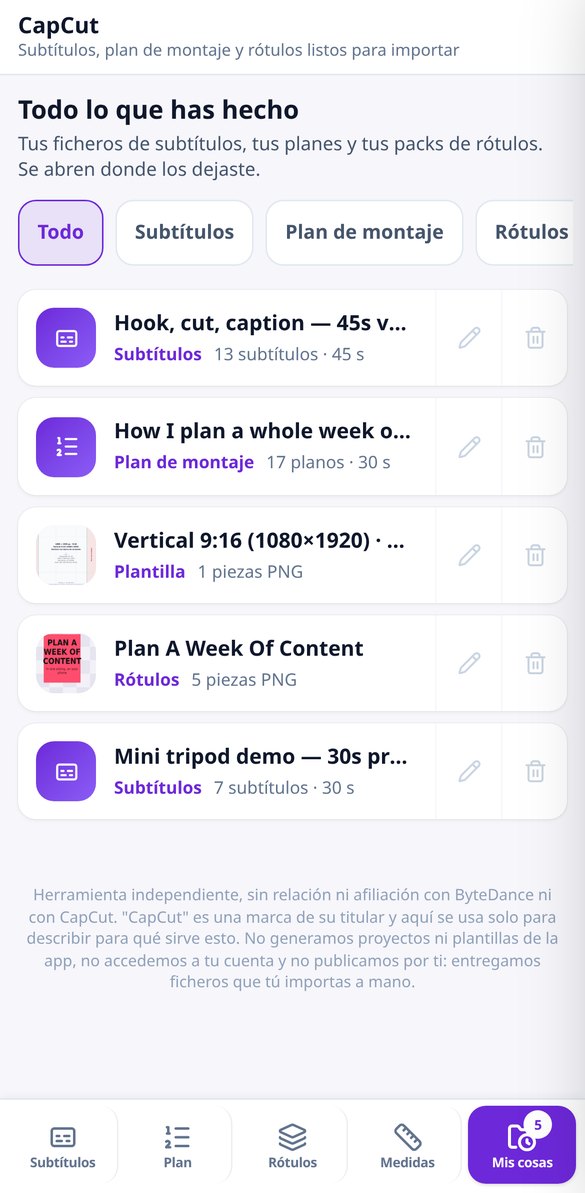
Discover every feature in detail
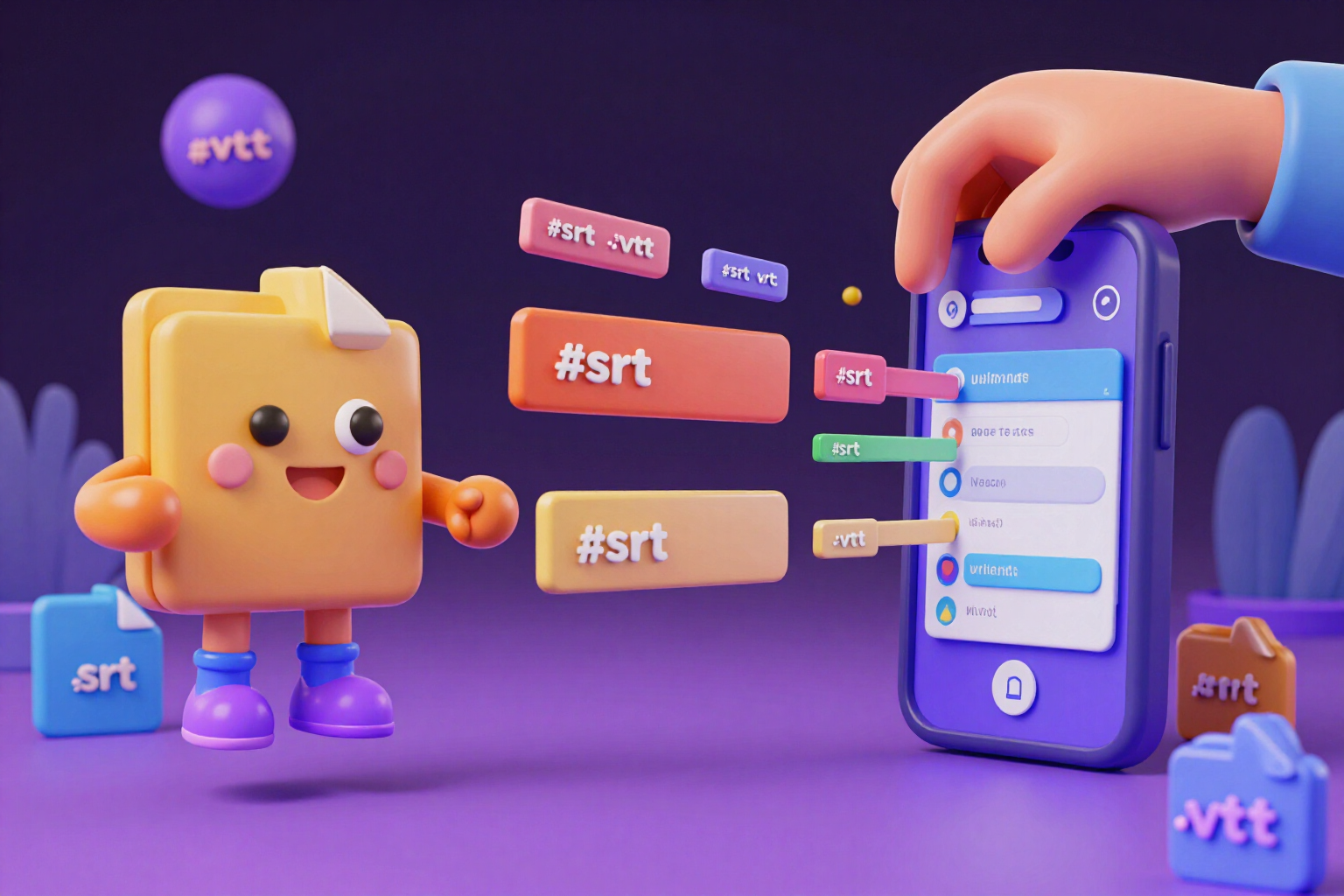
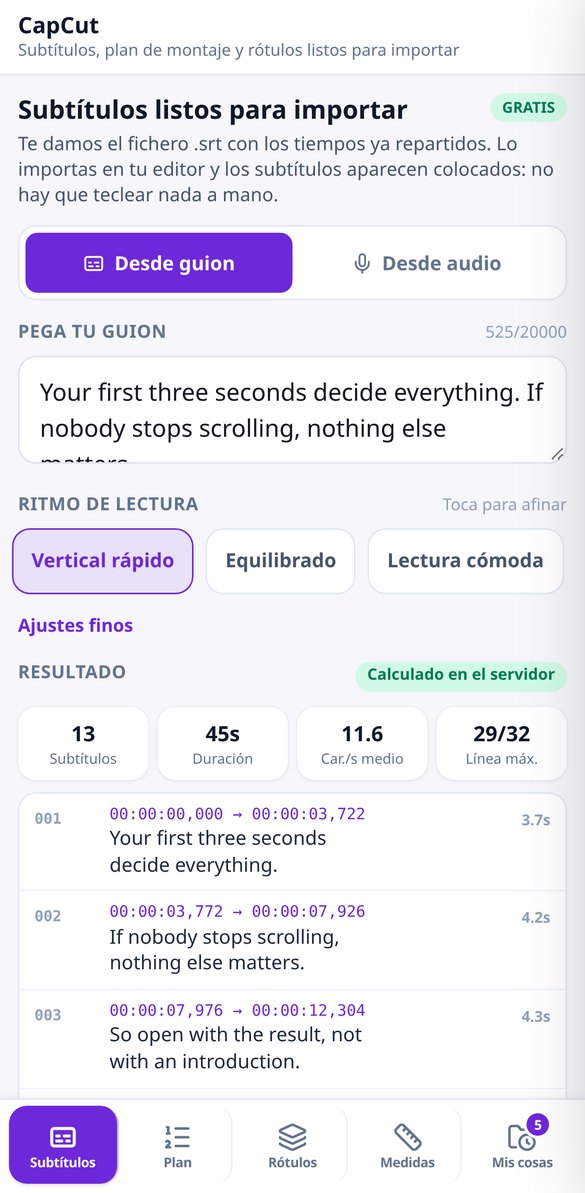
Script to SRT free: text to subtitles with timings
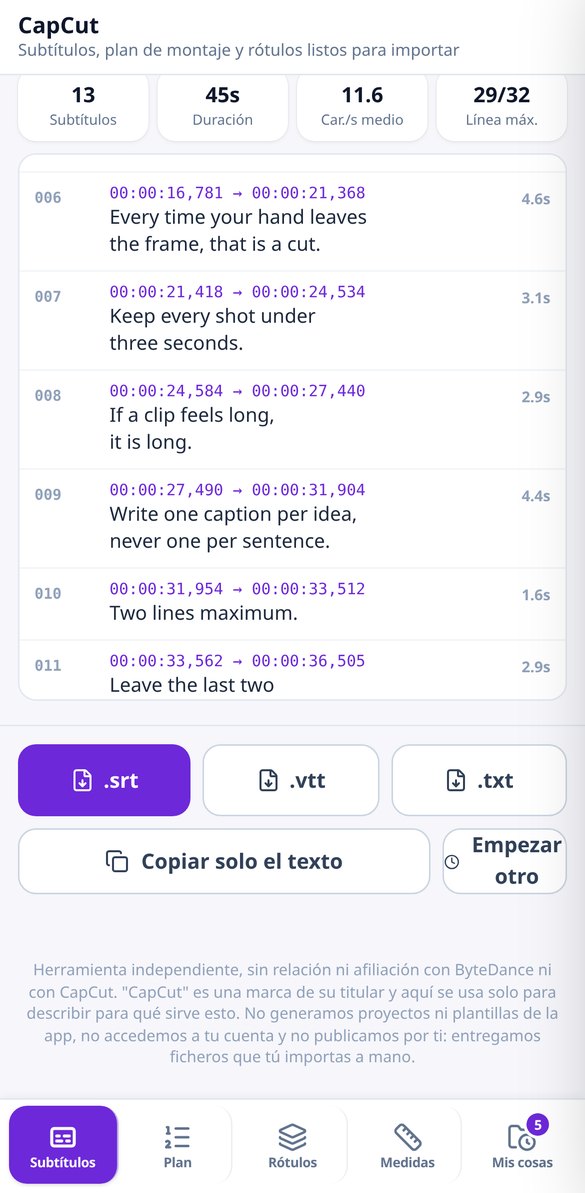
Paste the script and download the .srt with timings distributed by reading speed. Free, no registration, instant preview, and output in .srt, .vtt, or .txt.
Try it free
Transcribe audio or video to SRT with real timestamps
Upload your MP3, WAV, MP4, or MOV and download the .srt subtitles with the real timestamp for each word. Up to 15 minutes, six languages, and free splitting.
Try it free
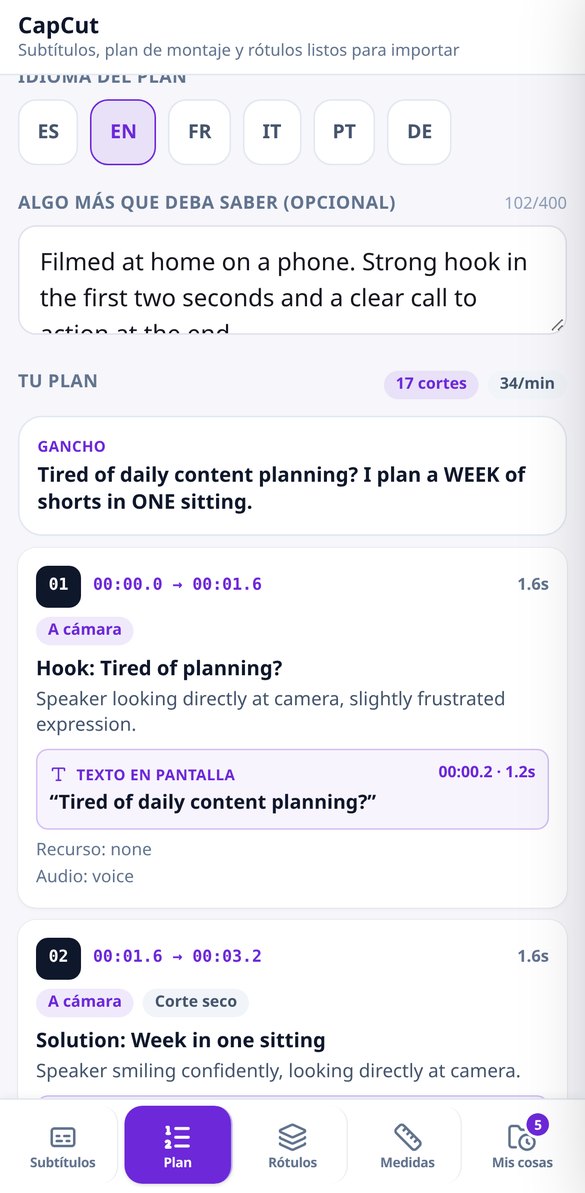
Editing plan and shot list for vertical video
Describe the video and receive the shot list: duration of each shot, on-screen text with its entry second, transition, and where the resource goes. The timings match the exact duration and can be downloaded in .txt format.
Try it free
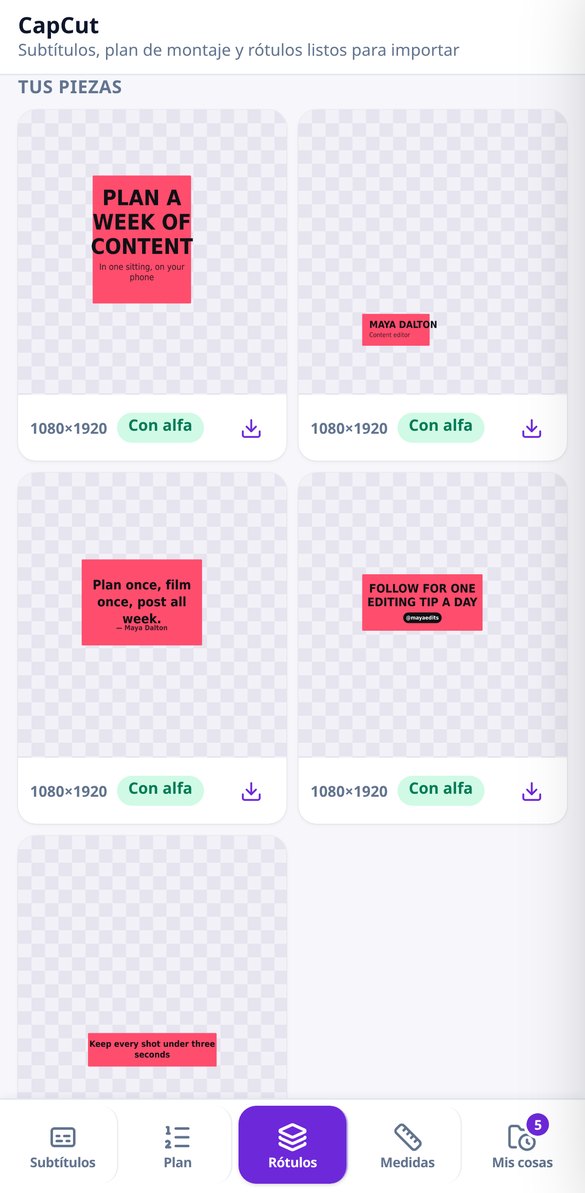
Lower thirds and title cards in PNG with transparent background
Generate lower thirds, title cards, quote cards, end cards and subtitle plates as transparent PNGs for CapCut: 1080×1920 and 1920×1080, six styles, your brand color and alpha verified by reading the file.
Try it free
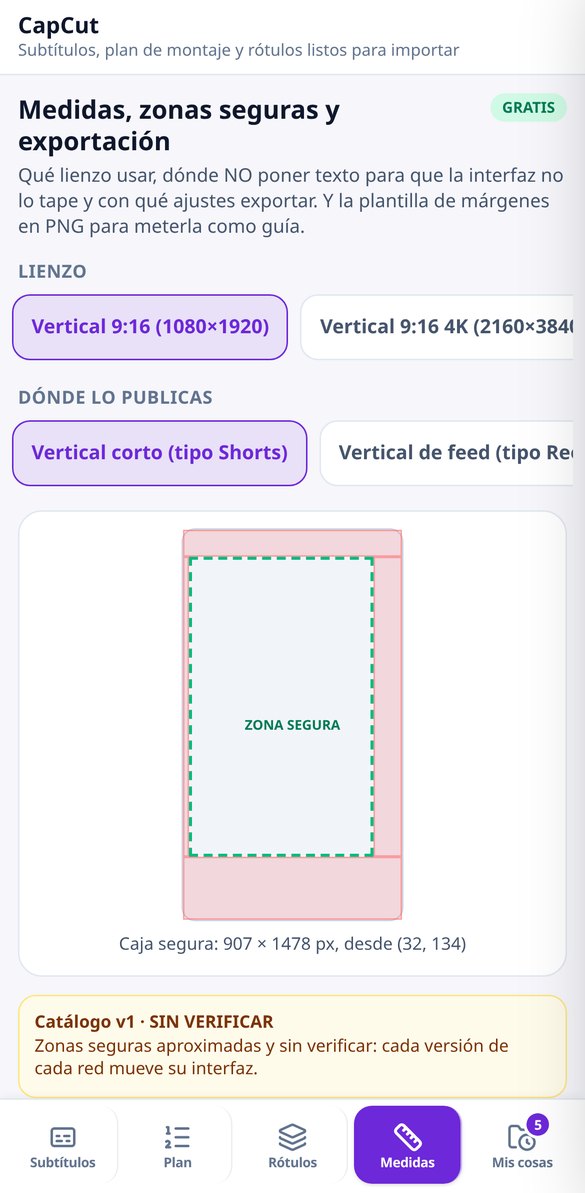
Measurements, safe areas, and export in CapCut
What resolution to use (1080×1920, 1080×1350, 1080×1080, 1920×1080, 4K vertical), where not to place text so the interface doesn't cover it, and with what fps, codec, and bitrate to export. Free.
Try it free
PNG template for margins and safe zones for CapCut
Download the safe zones template in PNG for 1080×1920, 4K vertical, 4:5, 1:1 or 16:9: strips that cover the interface, safe text box, thirds and center. Free and no registration required.
Try it freeThe four things that leave you stuck in front of an empty project
평범한 표를 나에게 딱 맞는 시스템으로 바꿔 주는 세 가지 요소예요.
Subtitles with the timings already done, from a script or audio
You paste the script —up to 20,000 characters— and the captions are distributed instantly: short sentences, two lines maximum, and timings calculated by reading speed, with minimum and maximum duration per caption and the gap between one and the next. You choose from 5 presets (vertical, one line, karaoke, balanced and comfortable) or adjust the 6 parameters by hand and the preview repaints as you go; the final file is always signed by the server and validated byte by byte, with numbering from 1, a comma in the milliseconds and cues that never overlap, which is the difference between importing cleanly or not importing at all. Download as .srt, .vtt or .txt, or copy to clipboard. And if what you have is already-recorded audio or video, it transcribes it with word-by-word time stamps —up to 15 minutes and 20 MB, checked before uploading the file so you don't spend more than you need— and afterwards you can re-split it with other parameters as many times as you like without paying for the transcription again.
The edit plan: how many shots, how long each one lasts and what text goes in
You say the topic, the seconds you're aiming for, the format, the material you have —6 types—, the pace and the destination, and you get the edit written shot by shot: the hook for the first seconds, each shot with one of 6 types, its duration and its in and out seconds, the text that comes on screen with the exact second it appears and how long it lasts, the transition and effect for each cut, one of 6, where to put b-roll, where to leave silence, the music note and the closing call to action. Below that, the totals that tell you whether it really fits: seconds added up against your target, number of cuts and cuts per minute. The model doesn't write the arithmetic: the server balances and scales the durations so the total matches the seconds you asked for, and the plan downloads as printable text to keep beside you while you edit.
PNG on-screen titles and the dimensions people forget when exporting
The pieces you drag onto the timeline: 5 types —cover, lower third, quote, closing with call to action and subtitle plate— in 6 styles, delivered in vertical 1080×1920 and horizontal 1920×1080. All the text is drawn by the server with real fonts, never by the image model: that's why there are no typos or warped letters, and changing the title recomposes the pack instantly without regenerating art. The ink is chosen white or black based on the real contrast with your accent color, and each piece is placed inside the safe zone of the destination you choose, so the platform's interface doesn't cover your text. The AI-generated background is optional, applies only to the cover and closing, and if you change the text it recomposes on the same background at no cost. The transparent background is only delivered when the cut-out comes out clean, checked by rereading the file; if it doesn't, we tell you and the piece is opaque. Separately, the loose details that cost you a lost export: 5 canvases, 5 sets of settings with fps, codec, bitrate and the reason for each one, 5 safe zones per destination and a PNG margin template with rule of thirds, center cross and the bands each network covers.
From script to file in three steps
회원가입
무료로 계정을 만들고 브라우저에서 BaseTable을 열어 보세요.
데이터 가져오기
처음부터 시작하거나 CSV를 가져오거나, 테이블, 필드, 첨부 파일이 포함된 Airtable 베이스를 가져오세요.
보는 방식 선택
필요한 보기를 추가하고 베이스마다 꼭 필요한 권한만 주어 팀과 공유하세요.
Frequently Asked Questions
Latest blog articles
Guides and news to get more out of it
How to write the editing brief that an AI editor truly understands: shots, durations, and text entries
Shots, durations, and text entries: how to write an editing brief that CapCut EditPilot executes without making anything up. With data and dates from 2026.
Subtitles that are truly readable vertically: characters per line, CPS, and minimum duration per cue
Readability rules for subtitling vertical video: characters per line, 2 lines, reading speed in CPS, minimum duration per cue, and gaps.
Your next video already has subtitles and an edit plan
브라우저에서 무료로, 몇 분 만에 첫 베이스를 만들어 보세요.